
How radio on Google speakers works (or doesn't)
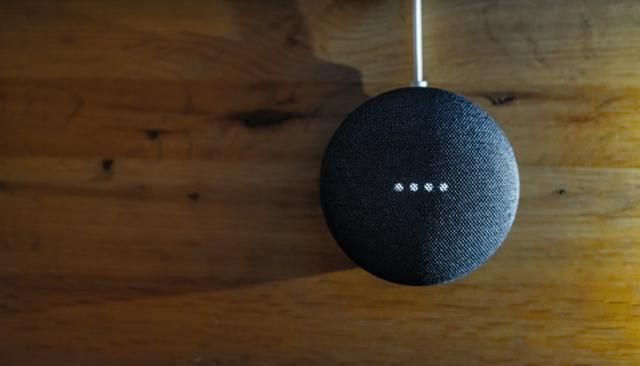
Smart speakers and digital assistants are very important to radio. In Australia, 21% of Australians use a smart speaker to listen to live radio (Television & Media Survey, ACMA, 2023). In terms of total listening, looking at RAJAR’s MIDAS, around 12% of all radio listening in the UK (ish) is done on a smart speaker.
In Australia, 62% of households apparently own a Google speaker (which seems massively high); and 33% own an Amazon Echo, according to numbers quoted by Statista. Even if the figure’s half that, it’s still a significant number.
Back in the midst of time, radio stations would use “Actions” to achieve radio; but Google Actions were sunset in 2023. These were the kind of “app” equivalents that you might be aware of in Alexa - “Alexa, ask Radioplayer to play Amazing Radio”. (I used to have one of these for Podnews - I was in so early, Google sent me a t-shirt for making one).
These conversational actions were not really very good: you had to know what the name of the “app” was that you wanted to speak to. Some smaller stations would use them - “Ask K-RAP to listen live!” - but you spent more time on the air in education than was really sensible. A relatively foolproof way to get your station on, though - and one you were in control of - but not a very good one for users.
But, while Google Actions are gone, Media Actions still exist.
Media Actions
When a user asks for a radio station (“Play…” or “Listen to…”), that’s a media action. Google looks through its list of stations to know what it is, and where to send that user - which will be to a “media content provider” (someone global in nature like TuneIn or iHeart, or ones for specific countries, like RadioApp or BBC Sounds).
As a media content provider, it’s your job to produce specific files for Google to ingest so that it knows what stations are available, and through what service.
There is a “radio action specification” documented by Google with an example of a full radio feed as a media catalog feed - there is also information about the relationships of your radio station as well. It is a very detailed specification, that wants a lot of information.
Particularly, there’s “alternate names” in there, so a station strictly called “106.7 The Jobbie” can also be discovered by using the name everyone knows it by, “Radio Jobbie”. And it’s these that are the important bits: because without the alternate names being set properly, the chances of your radio station being found are significantly lessened.
Once that media catalog feed is produced, Google then has recommendations for where to host the feed - we know that it lives in a folder called something like ../latest and that it can be placed on public or private hosting. We also know it is a .json file. But, probably unsurprisingly, I can’t find any feeds visible through search, and most of them will be private anyway.
So - all seems relatively clear. Except…
You can’t do this yourself
Google is “only working with a limited number of providers at a time”. For Australia, it seems to choose from three catalogs - iHeartRadio and TuneIn’s international listings, plus the only local provider, RadioApp. (iHeart is available locally in Australia through a collaboration with ARN.)
Unless you’re listed in one of those three, you’re not getting onto a Google speaker.
That forces community radio in Australia to cosy up to iHeartRadio; they won’t be getting into RadioApp, which is run by CRA and lists commercial radio and ABC/SBS, and treats community radio as competition. And TuneIn has been famously disinterested in keeping its catalog up to date (though that now seems to have turned a corner).
It also forces radio stations to pay - to pay by being a member of CRA; to pay to add a station to iHeartRadio; or to pay in terms of relinquishing pre-roll advertising for TuneIn.
The upshot of this is that it means that whatever these services put into the media catalog feed is how findable you’ll be. And you, the broadcaster, have no control over the matter.
As I noted in 2018, the only way I could find 4ZZZ was to to ask my Google speaker for “Four Zee Zee Zee”. It’s known as “Four Triple-Zed” on the air. After the station went into iHeart, I asked contacts nicely to fix that 2022 by adding “Four Triple-Zed” to the alternate names.
And, it was only after I started sniffing around to discover why ABC Radio National wouldn’t work to discover - in the space of less than 48 hours - the radio station suspiciously started working. “Play ABC Radio National” now works, if you’re in an Eastern state with daylight savings (you get a national feed); or “Play ABC Radio National Queensland” works, if you’re in Queensland and you want state-wide news in a timezone that won’t fade the curtains or scare the cows.
Or, at least, it used to. It worked on Wednesday. It no longer works on Saturday evening.
“It’s all Google’s fault”
There’s a piece of work going through the Australian Government at the moment, called Prominence Framework for Radio on Smart Speakers - another in the list of media-driven attempts to kick Big Tech, along with big tech must pay to link to news that Australians pioneered in 2021; and Australia bans social media for kids, also an Australian invention from 2025. Both these badly-drafted laws benefit Australian media owners (R Murdoch), and therefore benefit the politicians who put the laws through.
Now, the radio owners (L Murdoch, among others) are keen to point fingers at Google once more, and to drum up support for laws on radio prominence. I don’t disagree with a central proposition that there should be fair, reasonable and non-discriminatory access to any licensed radio station in Australia. Nor would Google, I would suspect. I also don’t disagree with a requirement that this is reliable.
I’m told that Google does a bad job here - and tales of woe about things that don’t work. Part of that is undoubtedly due to some separate issues - new firmware in May 2025 broke many AAC streams for a time; and there were more firmware issues in November 2025 that sounded as if they broke streaming audio entirely. If it’s anything like my experience working with Google, it’s a frustrating experience.
But that’s technical issues with streams. As for invocation issues being all Google’s fault - well, that’s a different thing.
Google’s speakers are only as good as the data from media content providers that goes into Google’s speakers. And, try as I might, I can’t see the actual data being submitted to Google. So I don’t know how good it is. And nor do you.
If you plan to criticise Google for not working properly in terms of finding radio stations, you need to be damn sure that the data you’re giving Google to surface those stations is correct - and, ideally, be in a position to demonstrate that. Right now, I don’t know that’s true.
However, even with all those caveats, it seems that all is not well in the world of Google’s radio services.
Reviewing some more
Since we’re here… let’s test some.
“Play KIIS Brisbane.” “All right. Playing 97.3FM on TuneIn”. (It shows a 97.3FM logo - the station rebranded to KIIS in January 2022.)
“Play 973”. “All right. Playing 97.3FM on iHeartRadio.” (It shows a KIIS 973 logo).
“Play KIIS 973”. “All right. Playing 97.3FM on TuneIn.”
“Play KIIS”. “Which would you like to hear?” (Reads a list of Sydney, Melbourne or Brisbane.) “Play KIIS 973 on RadioApp”. “Streaming 97.3FM on RadioApp.” (It shows a KIIS 973 logo).
Tunein’s data is out of date; but for some reason, Google prefers TuneIn rather than ARN’s own iHeartRadio. The Google voice repeats the incorrect name before playing.
“Play Hit 105”. “All right. Playing B105 on RadioApp.”
“Play B105”. “All right. Playing B105 on RadioApp.”
Hit 105 was the old name; B105 is the new one. This is as it should be - clarifying the new name before connecting. RadioApp’s “keywords”, hidden from the public, include “hit105”.
“Play 4KQ”. “All right. Playing 4KQ on RadioApp.” “Sorry. This can’t be played on RadioApp right now.”
4KQ was a golden oldies station, but closed a number of years ago. However, the frequency - and, technically the callsign - is now owned by SENQ, a sportstalk station. It’s correct to attempt to play it. The stream (in RadioApp’s app data) plays just fine in VLC, so unaware why it doesn’t play on Google.
“Play 4BH”. “All right. Playing 4BH on RadioApp.”
“Play Classic Hits 4BH.” “All right. Playing Classic Hits 4BH on RadioApp”.
Works as it should.
“Play NOVA Brisbane”. “All right. Playing NOVA One Hundred And Six Point Nine on RadioApp”.
“Play 106.9”. “All right. Playing NOVA One Hundred And Six Point Nine on RadioApp”.
“Play NOVA”. “Which NOVA station would you like to hear?” (Reads a choice of two frequencies, “and others”).
In the RadioApp data for the app, "voiceName": "Nova One oh Six point Nine" helps that app pronounce the name correctly. But in Google’s documentation, this data field doesn’t appear to exist. Can we not help the tool pronounce the radio station name?
Notable that “Play 106.9” worked flawlessly, even though there’s a Hit 106.9 in Newcastle. So it knows I’m in Brisbane. Why doesn’t “Play NOVA” work then?
“Play Triple M Brisbane”. “All right. Playing Triple M Brisbane on RadioApp.”
Works great.
“Play 4-triple-zed”. “All right. Playing 4-zed-zed-zed on TuneIn.” “Play 4-triple-zed on iHeartRadio”. “All right. Playing 4-zed-zed-zed on iHeartRadio.”
Again, this is as it should be.
“Play ABC News Radio”. “I found some options for ABC. Did you mean ABC News Radio, or ABC local radio station?” “ABC News Radio”. “All right.” (Tries to play ABC News Radio on TuneIn; gives a badly-recorded error message that the station doesn’t stream over the internet)
“Play ABC News Radio on RadioApp”. “Streaming ABC News Radio from RadioApp.”
“Play ABC Radio National”. (Tries to play ABC Radio National on TuneIn; gives a badly-recorded error message that the station doesn’t stream over the internet)
“Play Radio National”. (Tries to play ABC Radio National on TuneIn; gives a badly-recorded error message that the station doesn’t stream over the internet)
“Play ABC Radio National on RadioApp”. “I looked for that, but it either isn’t available or it can’t be played right now.”
“Play ABC Radio National Queensland”. “I couldn’t find a direct station for ABC Radio National Queensland. But I found ABC Radio Brisbane, ABC Radio Sunshine Coast…”
“Play ABC Radio National”. “I couldn’t find a stream for that.”
“Play ABC RN”. “All right. Playing ABC Radio National.” (Plays ABC by the Jackson 5).
“Play 792 AM”. “All right. Playing ABC Radio Brisbane on RadioApp”.
This is frustrating. It was working on Tuesday. Flawlessly. And now… it isn’t working again. A radio that only sometimes works is the same as a radio that never works. What a waste of time.
“Play ABC Radio Brisbane”. “All right. Playing ABC Radio Brisbane on RadioApp”. (Has an old logo).
“Play 4MBS”. “All right. Playing 4MBS on TuneIn.”
“Play 4BC”. “All right. Playing 4BC on RadioApp”.
“Play Rise 965”. “All right. Playing the playlist Rise 965 feet on Spotify”.
“Play Rise 96.5”. “All right. Playing Rise 96.5 on TuneIn”.
Can we fix this?
It strikes me that Google’s woes could be fixed, potentially, by adding some kind of certainty for how this works. There appears to be little certainty here with what might work, and what might not.
One relatively obvious choice - though one TuneIn won’t like - is to always give one-country local media catalogs a higher score than a global fallback directory.
TuneIn claims it has 110,000+ radio stations, and from that, I’d assume that the total number of stations in Google’s database is likely to be fewer than 150,000. That’s not a horrible number to be in a performant search tool; there are more than 4.5mn podcasts, and that industry seems to cope okay.
But perhaps the most important thing is to find someone at Google who cares.
And I worry that’s going to be impossible.