
Review: Spotify Music's new playlist mix feature

I wrote about wanting decent segues (not just crossfades) on music services in 2022. And excitingly, Spotify has recently launched a thing that I’ve always wanted in a music playlist service - the chance to mix tracks together. And to be in charge of how that mix goes in my own playlists!
They’re not the first - Apple Music has a new AI auto mix thing. As I said when I reviewed it earlier this year, it’s great except when it isn’t: there are a few awful howlers that I really did not like.
Spotify’s tool doesn’t pretend to auto-mix, though it’ll have a go if you don’t touch it. Instead, you’re given an interface to fiddle about yourself for the perfect segue. Well, really, the perfect mix. Except it isn’t, quite, the perfect mix.
Here’s a quick example - the interface from putting together “Into the great wide open” into “Get the message” is relatively simple: I just want to start playing them slightly over one another.
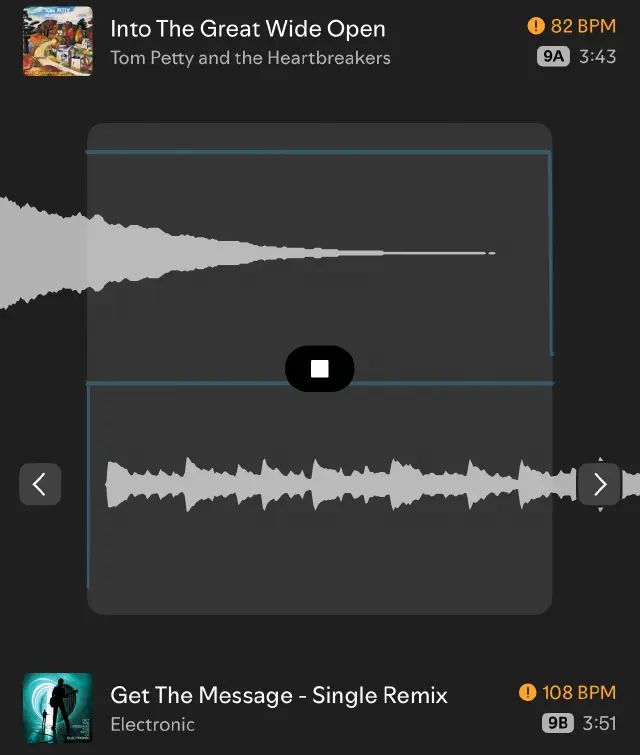
…and here’s what it sounds like.
It’s kind of OK. The keys clash, so if I could, I’d leave a little more space - but the interface doesn’t allow me to pull the Electronic track any later, or the Tom Petty track any earlier. This is as far apart as you can get them. It’s OK. The blue line is the volume - you can control it with a few settings a little further down the page.
Here’s another nice simple segue - from “The Beep Beep Song” into a track by Del Amitri - a segue no radio programmer would ever advise (but one I actually did, on a radio station in London!)…
OK, well, let’s try something a little more advanced. These two tracks are relatively close in beats-per-minute (and share a vocalist!). Spotify is going to “smooth crossfade” this in terms of volume, but apply a “centre bass swap” in terms of EQ to help the new track kick in. On all this, you can pull the tracks around (with this one, it shows the beat when you do).
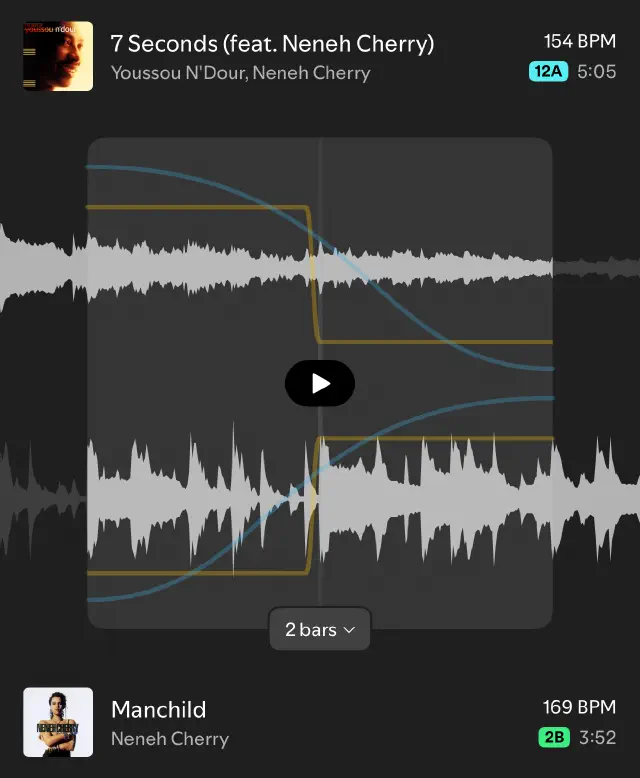
…and here’s what it sounds like, with a little dynamic-compression applied.
I think this is a very creditable mix, assuming I wanted to chop a bit of the front of Manchild off.
I don’t really. And that’s the issue.
Let’s try another mix - from the end of Manchild, which cuts dead, to the start of a track by Brave Captain that I bet you don’t know.
In this video, you’ll see me grapple in vain with the user interface trying to get a decent mix. It’s impossible to do, because I can’t pull the track “back” enough, since the actual audio file ends.
I’m using the subtitles here to explain what’s going on…
Arg! Here’s how it ends up.
It’s OK. But it’s not great. It could be fixed if I could move the tracks further. But I can’t. So.
Out of the Brave Captain track, I can, though, chop the strange start of The Eels off, and this is OK, I suppose…
…and this, given to me as Spotify’s auto-mix, is kind of OK if I don’t want the intro of Prefab Sprout (except I do)
But, overall, if you just want to put songs together nicely (not do a fancy beat-mixed DJ thing) then this would all work OK, if the system allowed me to “pull” the tracks all the way apart. But, like the Manchild thing above, you can’t do that - and it’s a problem that happens so often, it’s impossible to actually mix my playlists properly so everything flows.
Memo to Spotify - just add a phantom 5 seconds of silence at the beginning and end of tracks in the interface. That’s all we need. You’re so close! But not close enough.